
How PapinAI thinks, speaks, and draws at the same time: an architectural overview
A high-level engineering walkthrough of PapinAI's four-pillar architecture: multimodal ingestion (PDF vision & YouTube chunking), sub-second Socratic prompt caching, kinetic whiteboard spatial graphs, and full-duplex voice with instant barge-in.
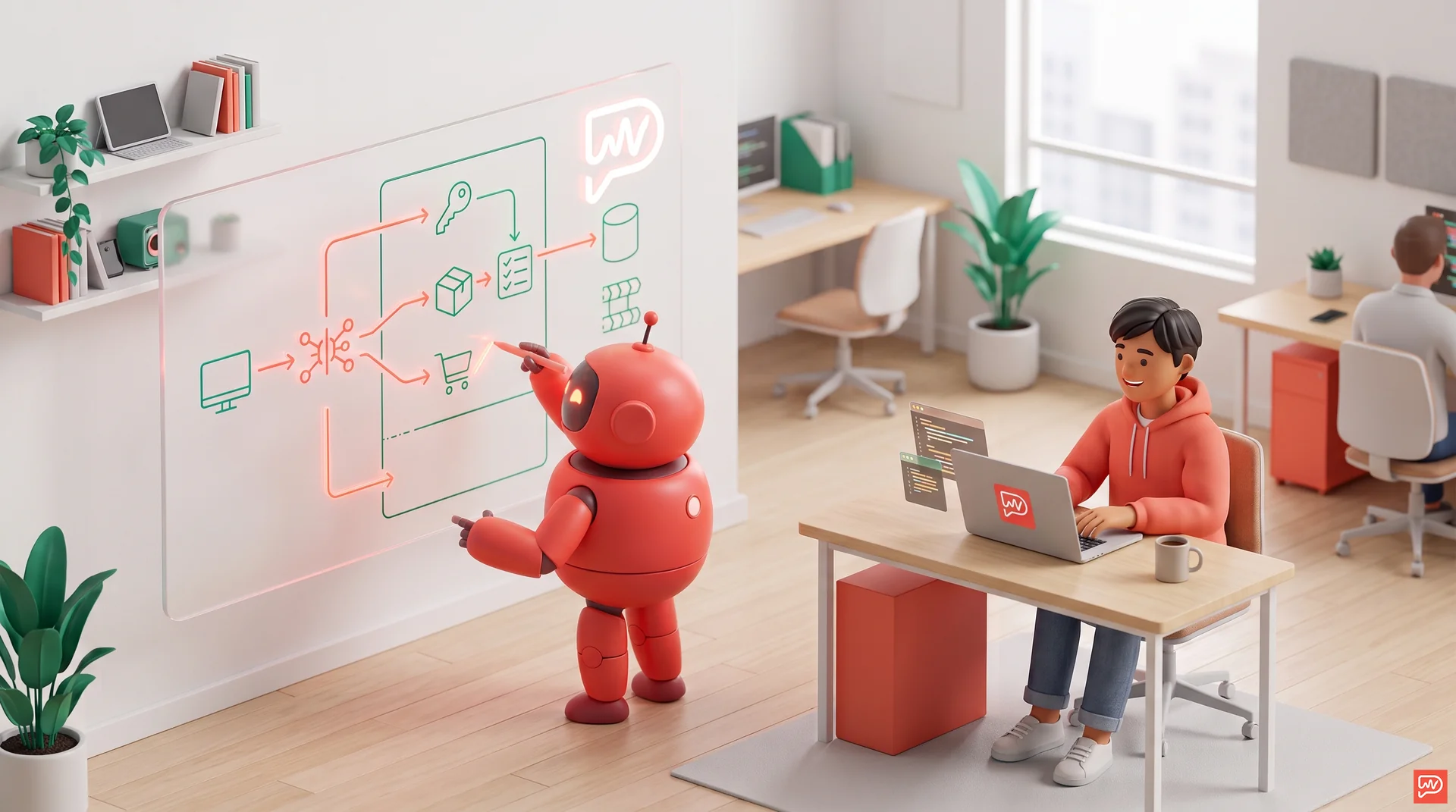
Most AI applications today operate as single-turn text machines: you ask a question in a box, wait a moment, and read a long wall of text.
When we set out to build PapinAI, we quickly realized that teaching cannot work like a general chatbot. As we explored in our comparison on why general AI models struggle with live tutoring, a real human tutor doesn't recite a 500-word essay while you stare at a blank screen. They sketch a diagram on a whiteboard, explain the concepts aloud in lockstep with the drawing, and immediately pause when you interrupt to ask about a specific arrow or formula.
Coordinating those actions in real time requires an orchestrated system architecture. Below is a high-level architectural walkthrough of how PapinAI ingests materials, reasons about pedagogy, draws kinetic diagrams, and handles full-duplex voice.
The Four-Pillar Multimodal Architecture
At its core, PapinAI unifies four interconnected engineering subsystems:
- Multimodal Ingestion Pipeline (Universal Study Material Intake)
- AI Brain & Pedagogy Engine (Context Management & Socratic Dialogue)
- Kinetic Whiteboard Engine (Spatial Graph & Generative Vector Canvas)
- Real-Time Full-Duplex Voice Pipeline (Low-Latency Audio & Instant Barge-In)
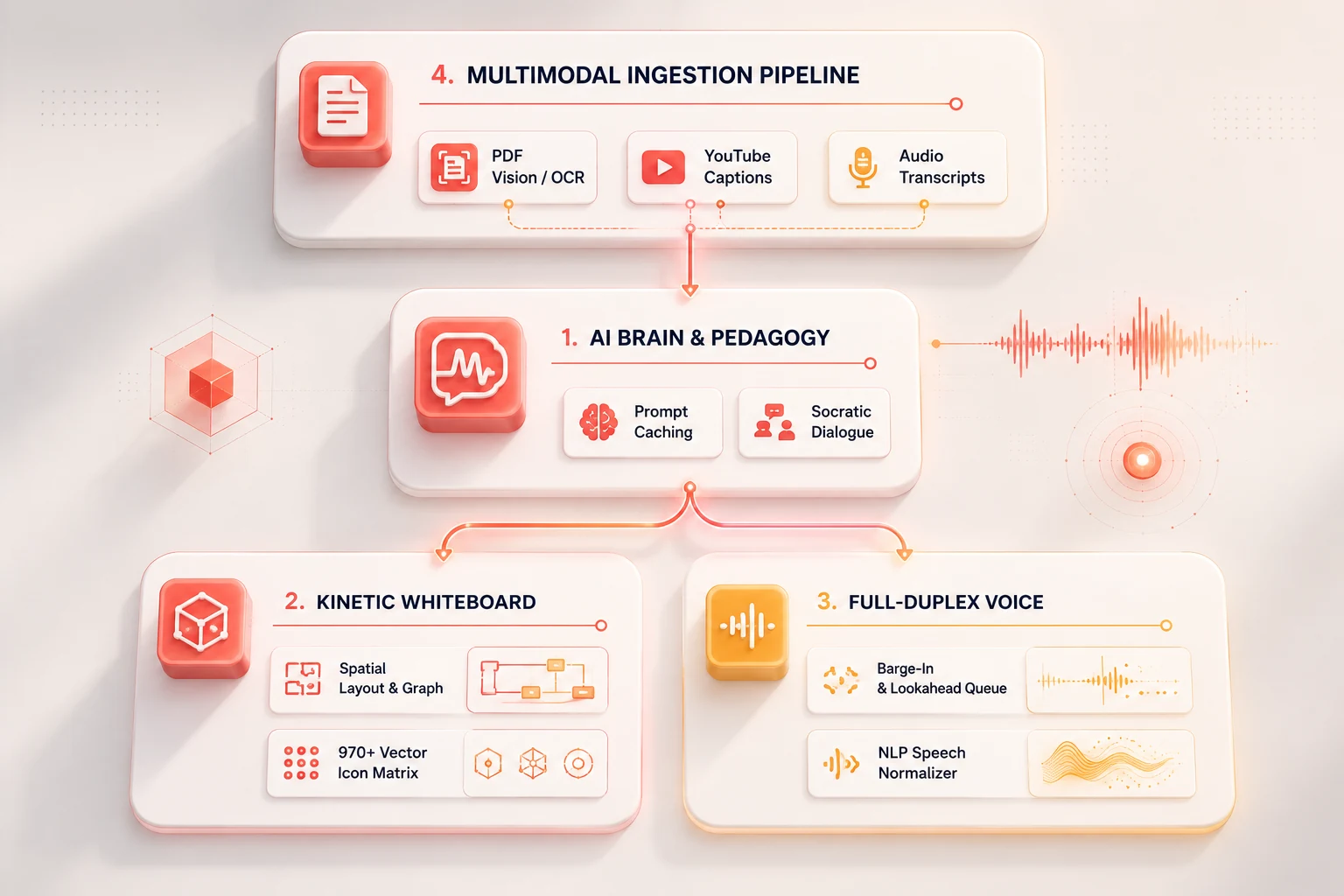
1. Multimodal Ingestion Pipeline: Universal Content Intake
Learners come with different kinds of study materials: 40-page textbook PDFs, lecture slide decks, or recorded YouTube tutorials. The challenge is parsing these varied formats into structured teaching context without exhausting the model's token budget.
- Layered Document Extraction & Vision Fallback: Text-native PDFs uploaded through our study material uploader are extracted with precise bounding and structural hierarchy, while scanned documents automatically route through visual OCR models so mathematical notation and diagrams are preserved.
- Timestamp-Aware Video Chunking: YouTube video lectures are parsed into timestamped conceptual paragraphs (e.g.
[02:15] ...), enabling the AI tutor to cite exact video moments while drawing corresponding whiteboard nodes. - Context Compaction: Before entering the session, raw study inputs are condensed into a high-density knowledge outline. This preserves the nuances of complex topics while leaving ample headroom for live student interaction.
2. AI Brain & Socratic Pedagogy: Thinking in Beats
Traditional LLM wrappers generate lengthy monologues. For live whiteboard learning, a monologue breaks the cognitive loop. Cognitive research proves that why drawing and spatial structure help retention relies on active dual-coding rather than passive listening. PapinAI uses a specialized Socratic pedagogical state machine:
- Short Conversational Beats: The tutor is architected to speak in short, natural sentences (typically under 20 words per beat), allowing the learner to digest information visually and verbally.
- Sub-Second Latency with Prompt Caching: By structuring system instructions, tool schemas, and core pedagogical rules into deterministic cache prefixes, we achieve over 90% prompt cache hit rates. This drops inference latency to sub-second speeds, making conversations feel live and spontaneous.
- Real-Time Intent Classification: The brain distinguishes between conversational acknowledgments, deep-dive requests, clarifications, and topic changes, updating the board and voice state accordingly.
3. Kinetic Whiteboard Engine: A Living Spatial Graph
A common mistake in AI whiteboard tools is generating a flat image. As we detailed in The Board is Not a Picture, when an AI outputs an image or pixel raster, the drawing is frozen: arrows cannot be reconnected, nodes cannot be rearranged, and individual concepts cannot be referenced.
PapinAI treats the whiteboard as a living spatial graph of named objects:
- Spatial Geometry & Collision Avoidance: Layout algorithms determine whether a concept is best represented as a progressive flow, comparison grid, or coordinate axis. Nodes automatically negotiate spacing to prevent overlapping lines and text collisions.
- Dynamic Arrow Routing: Arrows belong to the objects they connect. If an item is moved or expanded, connecting lines calculate the shortest honest geometric path around obstacles.
- 970+ Handwritten Vector Icon Matrix: Rather than placing generic geometric boxes, the tutor can summon hundreds of handwritten-style domain symbols (biology, physics, computer science, economics) that render in real-time as natural vector strokes.
- Live SSE Streaming: Drawing commands are streamed incrementally via Server-Sent Events (SSE), synchronizing visual pen strokes with spoken narration.
4. Real-Time Full-Duplex Voice Pipeline: Natural Conversational Flow
Audio alone gives working memory nothing to hold onto, which is why audio podcasts fall short for complex learning. Speaking with an AI should feel like sitting next to a human tutor in a study room:
- Instant Barge-In (Interruption Handling): When a learner speaks mid-sentence, the system instantly truncates the outgoing audio buffer, cuts the active transcript cleanly, and shifts the tutor into an active listening state — without audio artifacts or lag. This interactive capability sets PapinAI apart from traditional Khanmigo alternatives.
- Acoustic Feedback & Echo Cancellation: To ensure the tutor's own voice coming from your device speakers doesn't trigger the microphone, an intelligent acoustic threshold filter rejects self-feedback.
- Lookahead Audio Synthesis Queue: Speech synthesis runs a 3-beat lookahead pipeline, ensuring seamless, zero-gap audio transitions between consecutive sentences.
- NLP Speech Normalization: Visual Markdown syntax, complex mathematical relations (
!=,>=,->,=), abbreviations (e.g.,vs.,w/), and table rows are automatically converted into fluid spoken words before reaching the synthesis engine.
The Orchestration Challenge
The true complexity of PapinAI lies not in any single model, but in the synchronization between all four layers.
When a student uploads a complex lecture, the ingestion pipeline structures the material, the AI brain plans the explanation, the kinetic engine draws the first concept, the voice engine synthesizes the speech beat, and the transcript typer synchronizes character pacing to match the spoken phonemes — all while keeping the line open for the student to speak at any millisecond.
If you're curious to see this architecture in action, check out who PapinAI is built for or start a live interactive session on the whiteboard.
#AIEngineering #SystemArchitecture #MultimodalAI #FullDuplexVoice #PromptCaching #SocraticAI #EdTech #AIWhiteboard