 Papin
PapinPapinAI vs ChatGPT, Claude, and Gemini: what is actually different
They answer in a scrolling wall of text. This one draws while it talks, and you can cut in mid-drawing. An honest comparison — including everything the big three do better.
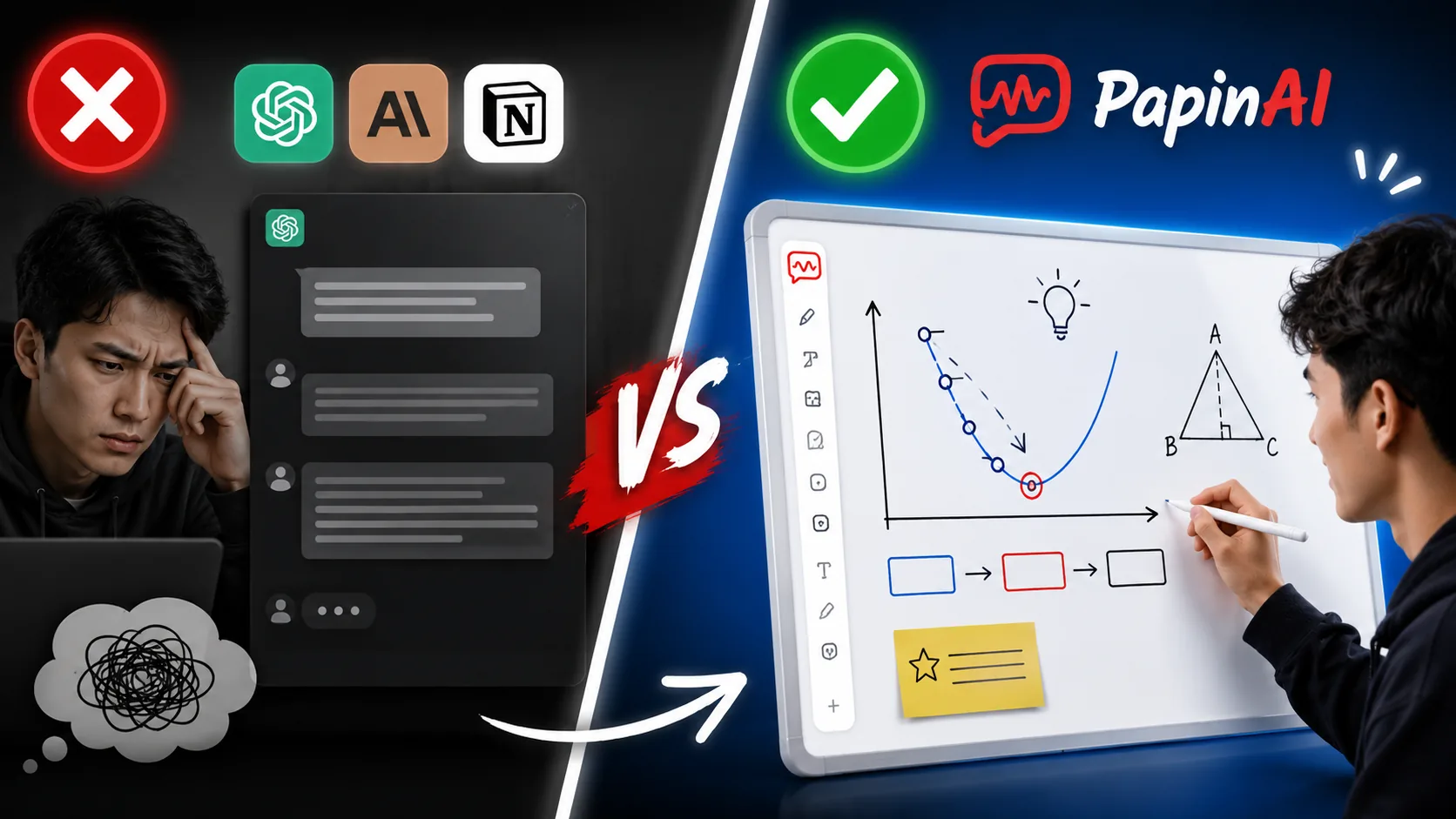
Let us start with the part most comparisons leave out: the model is not the difference.
ChatGPT, Claude, and Gemini are all excellent. PapinAI runs on a model from that same generation, and on any question of raw knowledge or reasoning, the big three are equal or better. If someone tells you their AI tutor is smarter because of its model, be sceptical.
The difference is the surface — what the answer arrives as, and what you can do to it while it is still arriving.
Difference 1: the answer has a shape
Ask ChatGPT how a retrieval system works and you get a well-written column of text. It scrolls. Headings, bullets, maybe a numbered list. To see how the third step relates to the first, you scroll up and hold both in your head at once.
Ask PapinAI and the answer appears as objects on a whiteboard — boxes, arrows, labels — placed while it speaks. The relationship between step one and step three is not described. It is drawn, and it stays on screen.
This matters more than it sounds. Working memory holds roughly four things at a time. A paragraph asks you to store the structure yourself; a diagram stores it for you, and you glance at it instead of rebuilding it.
To be fair: all three can produce diagrams. Claude renders Mermaid, ChatGPT can generate images and charts, Gemini does both. The difference is not whether a diagram appears — it is that theirs arrives finished, after the text, as a picture. PapinAI's arrives one object at a time, in step with the sentence explaining it.
Difference 2: you can cut in mid-drawing
This is the one the product exists for, so it deserves precision rather than a slogan.
Interrupting is not unique. ChatGPT's voice mode lets you talk over it. So does Gemini Live. If all you want is to stop a voice, that has been solved.
What is different is what your interruption lands on. When you cut in halfway through a PapinAI explanation, three things happen:
- The drawing stops where it is. Nothing is erased.
- Your question is answered against the board as it currently stands — the half-finished diagram, not a fresh start.
- The answer arrives as an annotation on the specific object you asked about, and then the explanation continues from where it stopped.
In a chat interface, interrupting means the answer stops and your new question begins a new answer. The diagram, if there was one, is a dead image above the scroll. Here the diagram is the conversation, so cutting in edits it rather than abandoning it.
Difference 3: the board is the memory
Under the hood, PapinAI never looks at a screenshot of its own board. It reads it as text with ids — vector-db, user-query, retriever. That is a deliberate design decision, and it is what makes the previous section possible.
Because every object has a stable name, PapinAI can say "remember the vector database box from earlier" three turns later, and point at the actual one — not draw a second copy. You can drag a box; it stays dragged. You can draw your own shape and name it, and PapinAI will refer to yours instead of drawing its own.
A chat assistant has an excellent memory of the conversation. PapinAI has a memory of the picture, which is a different and smaller thing — but it is the thing that makes a whiteboard feel shared rather than performed at you.
Difference 4: it draws pictures, not only boxes
A box with the word "bird" written inside it is engineer's notation. It is fine for a database schema and wrong for a seven-year-old.
PapinAI can draw the bird. There is a set of hand-drawn pictograms — animals, plants, everyday objects, weather — and when the thing being explained is something you can picture, it gets drawn rather than labelled. The same explanation of "kinds of living things" reads completely differently when the board shows a person, a cat, and a tree instead of three identical rectangles.
Where the big three are better, and it is not close
An honest comparison has to include this section, so here it is.
- General knowledge and reasoning. They are trained, evaluated, and tuned on it relentlessly. PapinAI is a whiteboard wrapped around a model; it inherits the model's ability and adds nothing to it.
- Web search. They can look things up. PapinAI cannot. If you need something current, it is the wrong tool.
- Code. They read your repository, run code, and debug. PapinAI draws the architecture and stops there.
- Long documents. They handle far more at once. PapinAI reads an uploaded PDF, but it is not a document-analysis product.
- Memory across sessions. ChatGPT remembers you between conversations. PapinAI starts each session from nothing.
- Everything else. Mobile apps, file handling, integrations, voice quality, availability. Those are the products of very large teams.
If your question is "which is the better AI?" — it is not PapinAI, and it was never trying to be.
So which one should you open?
| If you want to… | Open |
|---|---|
| Look something up, fast | ChatGPT, Gemini, or Claude |
| Write, summarise, or edit text | Any of the three |
| Get help with code | Claude or ChatGPT |
| Understand a structure — how parts connect | PapinAI |
| Follow along and ask "wait, why?" mid-explanation | PapinAI |
| Explain something to a child, visually | PapinAI |
| Research something happening this week | ChatGPT or Gemini, with search |
Most people should use both, for different questions. That is not a diplomatic answer — it is what the tools are actually shaped like.
What none of them have solved
The last section is the important one, because it applies to every product on this page, including ours.
All of them can be confidently wrong. A language model produces the most plausible next words, and plausible overlaps with correct most of the time — which is exactly what makes the gap dangerous. The costly error is not a wild hallucination. It is small: a flipped sign, a misremembered constant, a step borrowed from a similar-looking problem. It reads perfectly. Treat any worked answer as a draft you check, and ask for a second derivation by a different route. Two that disagree tell you something; one that sounds confident tells you nothing.
None of them know what you understood. A human tutor watches your face and sees the exact sentence where you stopped following. Every AI on this page sees only text, and cannot tell silence-because-obvious from silence-because-lost. You have to say it. This is precisely why being able to interrupt matters: the check-in a human does by watching, you do by speaking — and it should cost you one sentence, not a restart.
All of them cost real money to run. Every answer costs the provider something; voice costs more; reading a scanned document more again. That is why free tiers have caps, why they slow down under load, and why some products quietly serve a smaller model than the one advertised. It is also why PapinAI's live mode asks you to sign in — not to collect you, but because an endpoint that spends money and asks nothing gets drained within a week.
The short version
The big three are better assistants. PapinAI is a better whiteboard — for the specific moment when you do not need an answer delivered, you need to watch an idea get built, and be able to stop it the second it loses you.
Open the board and ask it something. That takes less time than reading this paragraph did.